By Rai Haider
September 23, 2026
What Does Collate Mean When Printing? Complete Guide to Collated Printing
When preparing documents for printing, you may notice a setting called collate inside your printer options. This feature becomes especially important when you need multiple copies of a document containing several pages.
So, what does collate mean when printing?
The collate option controls how a printer organizes repeated copies of a multi-page file. When enabled, the machine prepares each copy as its own complete document instead of producing separate groups of identical pages.
For example, imagine a company needs several copies of a 10-page product guide.
With collating enabled, the printer prepares:
- One complete 10-page guide
- Another complete 10-page guide
- Another complete 10-page guide
Each copy is already arranged and ready to distribute.
Without collating, the printer may create groups based on individual pages, meaning the printed sheets need to be collected and arranged manually before they become usable documents.
Collated printing is commonly used for professional materials where organization matters, including:
- Business reports
- Product catalogs
- Training documents
- Instruction manuals
- Brochures
- Presentations
- Booklets
- Printed packaging materials
For brands and manufacturers, this process can also help organize packaging-related materials such as product instructions, inserts, and information sheets before they are included with products.
Complete Guide to Collated Printing
Quick Answer: What Does Collate Mean When Printing?
Collate is a printer function that arranges multiple copies into their proper document order. Instead of printing one page repeatedly before moving to the next page, the printer prepares each copy as a complete set.
For businesses printing manuals, reports, catalogs, or packaging inserts, the collate option helps create organized materials that require less manual handling after printing.
Understanding the Meaning of Collate in Printing
In printing, collating refers to the organization of separate pages into a structured document sequence.
A print job can contain hundreds of individual sheets, but the final result often needs to be delivered as complete documents. The collate function helps manage this arrangement by grouping the required pages together during production.
This makes the finished materials easier to:
- Review
- Package
- Distribute
- Present to customers
- Use internally
Collating is especially valuable when printed materials contain multiple pages that must remain together. Common examples include:
- Employee handbooks
- Customer guides
- Product documentation
- Sales presentations
- Training resources
- Marketing brochures
- Company reports
For packaging businesses, collated printed components can support smoother assembly processes. For example, a product shipment may require an instruction sheet, warranty card, and promotional insert to be grouped together before being placed inside the package.
How Does Collated Printing Work?
Collated printing works by allowing the printer or printing software to manage how multiple copies are arranged during a print job.
When a document contains several pages and the user requests multiple copies, the printer decides whether the output should be organized as complete documents or separated page groups.
For example, if a company is preparing 500 copies of a customer instruction booklet:
With collated printing (Finished booklet set):
- Cover page
- Instructions
- Safety information
- Warranty page
The printer repeats this complete arrangement for every copy.
Without collating:
- All cover pages are produced together
- All instruction pages are produced together
- All warranty pages are produced together
The printed sheets then require additional sorting before they can become individual booklets.
Modern multifunction printers, commercial printing machines, and digital printing systems may include automatic collating features. Availability depends on the printer model, software settings, and production requirements.
Collated vs Uncollated Printing: How They Differ
The way a printer groups pages after processing a multi-copy job determines whether the result is collated or uncollated. One method creates ready-to-use document sets, while the other leaves pages separated for later arrangement.
| Feature |
Collated Printing |
Uncollated Printing |
| Final output |
Produces complete document groups |
Produces separate page batches |
| Page organization |
Pages stay together in the required sequence |
Pages are grouped according to page number or type |
| Best use cases |
Manuals, reports, brochures, catalogs, booklets |
Projects where pages need separate handling |
| Preparation after printing |
Minimal sorting required |
Additional assembly may be needed |
| Workflow impact |
Speeds up distribution and handling |
Adds a manual organization step |
Collated Printing Example
Consider a company preparing a 30-page employee training manual for a new team.
With collated printing, each printed manual contains:
- Cover page
- Training chapters
- Reference pages
- Final information section
The printer prepares each manual as a complete package, allowing the company to distribute them immediately. This approach is useful when every person receiving the document needs the same information in the same order.
Uncollated Printing Example
Now imagine the same 30-page manual printed without the collate option.
The printer may create:
- A stack of all cover pages
- A stack of all second pages
- A stack of all third pages
- Remaining pages grouped separately
The pages are available, but someone must organize them into individual manuals before they can be used. Uncollated printing can still be helpful when separate page groups are needed for another production step, such as sorting, binding, or combining materials manually.
When Should You Choose Collated Printing?
Collated printing is useful when the final printed materials need to be complete, organized, and ready for use immediately after production.
Businesses commonly choose collated copies for:
- Product manuals
- Client presentations
- Training materials
- Sales brochures
- Company reports
- Event documents
- Catalogs
- Booklets
- Packaging inserts
For example, a company shipping electronic products may need every package to include the same set of documents, such as setup instructions, safety information, and warranty details. Collating helps keep these materials together before they are added to the packaging.
Collated documents are also helpful during meetings, workshops, and customer presentations because each participant receives a complete set instead of loose pages.
Benefits of Collated Printing
Selecting the collate option can improve the efficiency of both office printing and professional production workflows.
Reduces Manual Organization
One of the biggest advantages of collated printing is reducing the need to arrange pages by hand. Instead of sorting separate page groups after printing, businesses receive organized document sets that are easier to prepare for delivery.
This is especially useful for:
- Instruction manuals
- Training documents
- Product guides
- Marketing materials
- Customer information packets
Maintains Consistent Document Order
When multiple copies are produced, maintaining the same page arrangement is important. Collated printing helps ensure each copy follows the intended structure, reducing issues such as:
- Missing sections
- Incorrect page sequence
- Mixed document sets
- Incomplete copies
This consistency is valuable for brands that provide printed information with their products.
Improves Production Workflow
In professional printing environments, reducing unnecessary handling can save time during the finishing process. Collated printing helps simplify tasks such as:
- Preparing documents for delivery
- Organizing printed materials
- Creating ready-to-use sets
- Supporting packaging operations
Creates a More Professional Presentation
The way printed materials are delivered affects how customers and businesses perceive them. Organized document sets are commonly used for:
- Corporate documents
- Product catalogs
- Presentation materials
- Marketing brochures
- Branded printed materials
A properly arranged document looks more prepared and easier to use.
How to Enable the Collate Option on a Printer
The location of the collate setting depends on the printer model, operating system, and application you are using. In most cases, the option appears inside the print settings window when multiple copies are selected.
Many commonly used applications also provide access to collating controls. For example, Microsoft Word and PDF viewers usually include printer-related options where users can manage page arrangement before sending a document to print.
To enable collated printing:
- Open the document you want to print.
- Select the Print option.
- Choose the connected printer.
- Open advanced settings or printer preferences.
- Locate the Collate option.
- Turn on the setting.
- Enter the required number of copies.
- Start the print job.
Depending on the printer or software, this option may appear under different names, such as:
- Collate copies
- Assemble copies
- Print in sets
- Page order printing
If the option is unavailable, the printer may not support automatic collating, or the feature may need to be enabled through the printer driver.
Why Are My Printed Pages Coming Out in the Wrong Order?
When printed pages do not appear in the expected sequence, the problem is usually connected to print settings, software preferences, or the document file itself.
The Collate Setting Is Disabled
If multiple copies are printed without enabling collating, the printer may organize output by page instead of by complete document. For example, instead of receiving several finished reports, you may receive groups of the same page that need to be sorted manually.
Application Print Settings Are Different
Different programs can control printing preferences separately. A document printed from:
- Microsoft Word
- Adobe Acrobat
- A web browser
- Design software
may not always use identical settings. Before starting a large print job, review the print window and confirm the page arrangement options.
Printer Capability Limitations
Some entry-level printers may not include automatic sorting functions, especially when handling large multi-page jobs. Professional office printers and commercial printing equipment often provide more advanced options for:
- Collating
- Stapling
- Folding
- Finishing
Problems Within the Document File
Sometimes the printer is working correctly, but the file itself has issues. Possible problems include:
- Pages placed in the wrong order
- Duplicate pages
- Missing content
- Incorrect formatting
Reviewing the document before printing can prevent unnecessary rework.
Collated Printing in Commercial Printing and Packaging
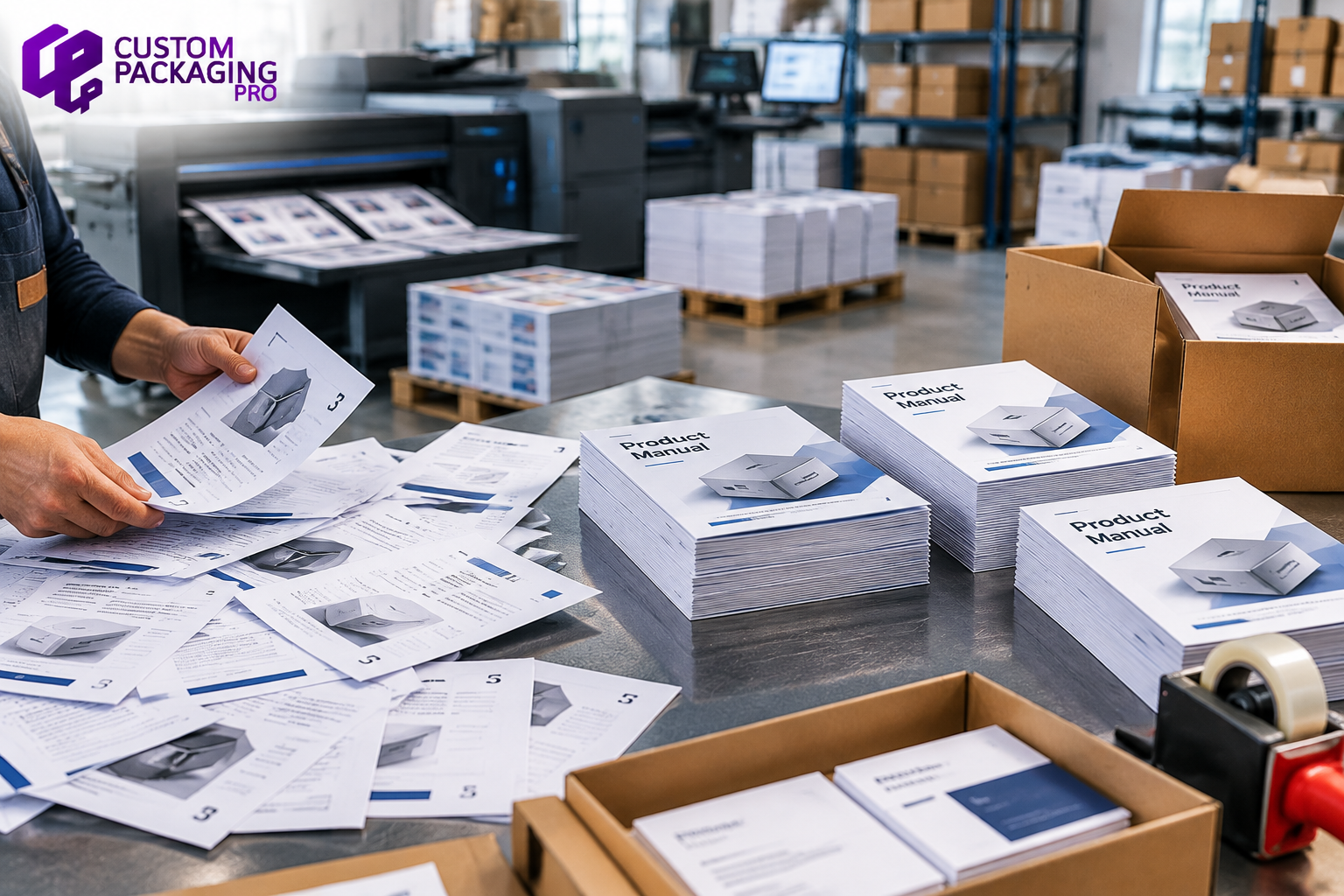
Collating is not limited to office documents. It is also an important part of commercial printing workflows where businesses need multiple printed elements organized before they reach customers.
In packaging production, different printed pieces often need to stay together during assembly. A well-organized print workflow helps ensure the correct materials are included with every product.
Packaging Inserts
Many products include supporting printed materials such as:
- Usage instructions
- Product care information
- Warranty cards
- Promotional messages
- Brand information sheets
Collating helps group these materials so they can be added to packaging more efficiently.
Product Manuals and Instruction Sheets
Manufacturers often provide customers with printed guidance after purchase. Examples include:
- Setup instructions
- Assembly guides
- Safety documents
- Product information pages
When these pages are properly organized, packaging teams can prepare products faster and reduce the chance of missing documents.
Promotional Printed Materials
Brands may include additional marketing pieces inside product packaging, such as:
- Discount cards
- Product guides
- Brand cards
- Promotional inserts
Keeping these materials together helps maintain consistency across shipments. For companies producing custom printed packaging, organized printed components support a smoother production process and a more complete customer experience.
How Collating Works in Digital Printing and Offset Printing
Collating can be used across different printing methods, including digital printing and offset printing. The way it is handled depends on the production equipment and finishing workflow.
Collating in Digital Printing
Digital printing is commonly used for projects that require flexible quantities and faster production. In digital printing workflows, collating may be managed through:
- Printer software
- Digital workflow systems
- Multifunction printer settings
- Finishing equipment
For example, a business producing hundreds of product catalogs can use collating to receive complete catalog sets instead of separate page groups.
Digital printing is commonly used for:
- Marketing materials
- Business documents
- Product information sheets
- Short-run catalogs
- Custom printed materials
Collating in Offset Printing
Offset printing is widely used for larger commercial projects where high-volume production is required. While offset printing focuses on transferring ink onto paper, additional finishing stages may organize the final output.
These stages can include:
- Sorting
- Folding
- Binding
- Assembly
- Collating
Large projects such as catalogs, manuals, magazines, and packaging-related printed materials often require these finishing processes before they are ready for distribution.
Collated Printing Examples
Real-world examples make it easier to understand how collated printing works in different business situations.
Example 1: Preparing Business Reports
A company needs to print 200 copies of an annual report containing financial information, charts, and company updates. With collated printing, each report is produced as a complete document containing all required pages in the correct sequence.
The finished reports can be:
- Distributed during meetings
- Shared with clients
- Provided to employees
No additional page arrangement is required after printing.
Example 2: Printing Product Documentation
A manufacturer creates printed materials for a product package that include:
- Installation instructions
- Usage guidelines
- Safety information
- Warranty details
Using collated printing helps ensure every product receives the same complete document set before packaging. This is especially useful for businesses that manage large quantities of packaged products.
Example 3: Creating Marketing Packages
A brand prepares customer-facing materials that combine:
Collating keeps each group of printed materials organized, making it easier for teams to prepare them for distribution.
Should You Print Collated or Uncollated?
The right option depends on how the printed materials will be used after production.
Collated Printing Is Suitable When:
- Each recipient needs a complete document.
- Pages must remain together from beginning to end.
- Materials are distributed immediately after printing.
- Manual sorting would increase preparation time.
- You are producing manuals, reports, catalogs, or booklets.
Uncollated Printing May Be Useful When:
- Individual pages need separate handling.
- Different page groups will go through another production stage.
- Manual arrangement is already part of the workflow.
- Separate stacks are needed before finishing.
For most multi-page business materials, collated printing creates a more efficient process because the documents are already organized when they leave the printer.
How to Print Multiple Copies in Order
To produce multiple copies with the correct page arrangement:
- Open the document file.
- Select the print option.
- Choose your printer.
- Enter the number of copies required.
- Enable the collate setting.
- Review the print preview.
- Start the print job.
For large projects, printing a small test batch first can help confirm that the document order and printer settings are correct.
Common Uses of Collated Documents
Collated documents are used in many industries where printed materials need to be organized and ready for use.
Office Printing
Businesses commonly use collated documents for:
- Internal reports
- Client presentations
- Meeting materials
- Employee training documents
- Company handbooks
Education and Training
Schools, organizations, and training providers may use collated materials for:
- Course resources
- Learning guides
- Workbooks
- Instruction documents
Retail and Packaging
Product-based businesses often use collated printed materials for:
- Product manuals
- Packaging inserts
- Care instructions
- Promotional cards
- Product information sheets
For packaging operations, organized printed materials help reduce assembly problems and ensure every product receives the correct information.
Commercial Printing
Professional printing companies use collating as part of their production and finishing workflow when creating large quantities of organized materials. Common examples include:
- Catalogs
- Manuals
- Marketing materials
- Corporate documents
- Product-related printed components
Final Thoughts: Choosing the Right Printing Method for Your Project
Understanding the role of collating helps businesses choose the right approach when preparing printed materials.
A collated print job is designed for situations where each copy needs to arrive as a complete document. Instead of spending extra time arranging loose pages, businesses can move directly from printing to distribution.
For product brands, this organization is especially important. Printed packaging components such as instruction sheets, product guides, and promotional inserts need to remain consistent so customers receive the correct information with their purchase.
Uncollated printing still has value when separate page groups are needed during another stage of production. The right choice depends on the document type, quantity, and how the final materials will be handled.
Key Takeaways
- Collating organizes printed pages into ready-to-use document groups.
- Collated printing is helpful when every copy requires the same page sequence.
- Uncollated printing separates page groups and may require manual sorting.
- The collate option is usually available through printer settings or software print options.
- Commercial printing workflows often use collating for organized document production.
- Packaging inserts and product documentation benefit from properly arranged printed sets.
Frequently Asked Questions About Collated Printing
- What does collate mean when printing?
Collate refers to arranging multiple printed pages so each copy is produced as a complete document set. Instead of receiving pages grouped separately, the final output follows the intended document order.
- How does collated printing work?
Collated printing uses printer settings or production equipment to organize repeated copies during the print process. Each copy is prepared as a complete set before the next one is produced.
- What is the difference between collated and uncollated printing?
The difference is how the pages are grouped after printing. Collated output creates finished document sets, while uncollated output separates pages into groups that may require additional sorting.
- When should you choose collated printing?
Collated printing is useful for multi-page materials such as manuals, reports, catalogs, booklets, and business documents where pages need to remain together.
- Does collating save time when printing multiple copies?
Yes. Collating reduces the need for manual page arrangement because the printer organizes the copies during production.
- How do you enable the collate option on a printer?
The collate option can usually be found in the print dialog, printer preferences, or advanced settings. Enable it before selecting multiple copies.
- Why are my printed pages coming out in the wrong order?
Incorrect page order can happen because the collate setting is disabled, software settings differ, the document file has problems, or the printer does not support automatic collating.
- Is collated printing better for booklets and manuals?
Collated printing is often useful for booklets and manuals because these materials require pages to stay arranged in a specific sequence.
- What does uncollated mean on a printer?
Uncollated means printed pages are produced as separate groups rather than being arranged into complete document sets.
- Can commercial printers provide collated documents?
Yes. Commercial printing companies can provide collated documents as part of their production and finishing services, depending on the project requirements.
- What does collate sheets mean when printing?
Collate sheets means arranging separate printed sheets into organized groups where each set contains the required pages in the correct order. This helps ensure printed materials are ready to use without additional sorting.

 Custom Boxes
 Mailer Boxes
 Shipping Boxes
 Display Boxes
 Product Boxes
 Retail Packaging
 Luxury Packaging
 Sustainable Packaging
 Mylar Bags
 Labels & Stickers
 Inserts & Dividers
 Acrylic Signs
 Mylar and Zipper Bags
 Cosmetic Boxes
 Custom Candle Packaging Boxes
 Food and Beverage
 Display Packaging
 Pharma Packaging
 Custom Blister Packaging
 Stand Up Displays
 Kraft Boxes
 Cereal Packaging Boxes
 Bakery Packaging Boxes
 Eco-Friendly Boxes
 Electronics Packaging Boxes
 Custom Vape Boxes & Packaging
 CBD Packaging Boxes
 Rigid & Luxury Packaging Boxes
 Gift Boxes
 Custom Soap Boxes & Packaging
 Metalized Boxes
 Retail Boxes
 Subscription Boxes
 Invitation Boxes
 Corrugated Shipping Boxes
 Matte Finish
 Gloss Finish
 Soft Touch
 Foil Stamping
 Spot UV
 Embossing
 Debossing
 Window Cutouts