By Rai Haider
October 01, 2026
Roll Labels vs. Sheet Labels: Choosing the Right Format
Choosing the right label format can affect much more than the appearance of a sticker. The way labels are supplied influences how they are printed, stored, handled, and applied to products. For businesses, the decision between roll labels vs. sheet labels usually depends on production volume, available printing equipment, application method, design requirements, and the type of product labels being produced.
Quick Answer: Roll Labels vs Sheet Labels
Roll labels are wound on a core and suit high-volume, repeated labeling with roll printers, dispensers or labeling machines. Sheet labels sit on flat 8.5 x 11 inch sheets and suit small batches printed on a standard inkjet or laser printer.
- Choose rolls for hundreds or thousands of identical labels and faster application
- Choose sheets for small runs, testing and mixing several designs on one page
Both formats can produce professional results, but they are designed around different workflows.
Roll labels are supplied as a continuous sequence wound around a core, while sheet labels are arranged as individual labels on flat backing sheets. This difference becomes particularly important when a business moves from occasional labeling to regular product production.
A small business printing a few dozen stickers in an office may have very different requirements from a manufacturer labeling hundreds or thousands of products every week.
What Are Roll Labels?
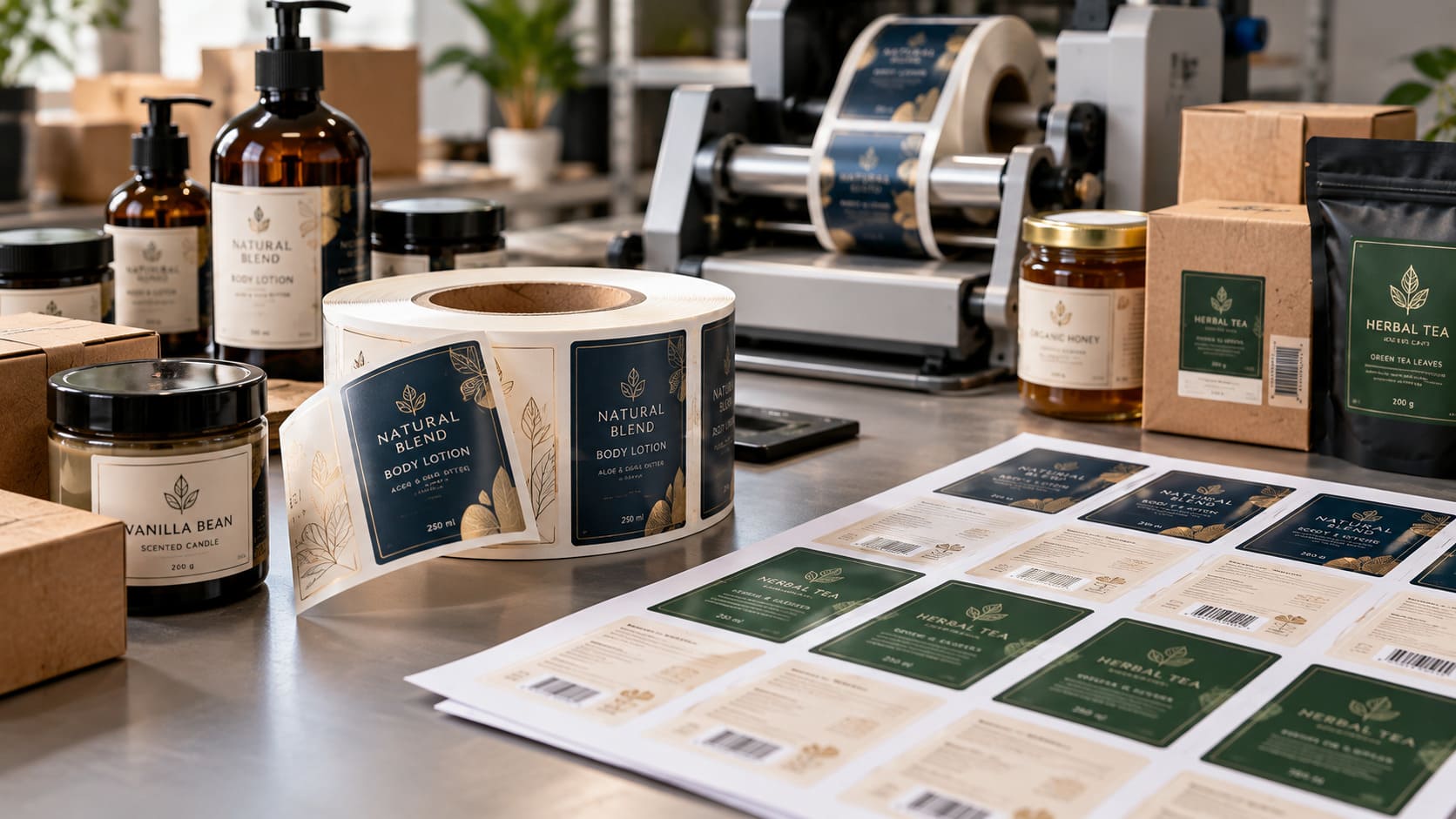
Roll labels are adhesive labels arranged continuously on a wound roll. Depending on the construction, they can be loaded into a compatible printer, dispenser, or labeling machine and processed one after another.
A sticker roll label can be produced in different shapes, dimensions, materials, adhesives, and finishes. The continuous format makes rolls particularly useful when labels need to move through equipment without repeatedly loading individual sheets.
Common applications include:
- Product containers
- Bottles and jars
- Food packaging
- Cosmetic packaging
- Candle containers
- Shipping labels
- Barcodes
- Inventory identification
- Retail products
Not every roll label works with every printer. Some are designed for direct thermal or thermal-transfer systems, while others can be used with an inkjet roll label printer or specialized color equipment.
The printer, material, core size, label dimensions, and winding direction should therefore be confirmed before ordering.
Continuous vs Pre Die-Cut Roll Labels
Roll label media comes in two main forms. Continuous rolls are one unbroken strip of label material, and the printer or applicator cuts each label to the required length, which is useful when label lengths change. Pre die-cut rolls already have each label cut to size with a small gap between them, and the printer uses a gap or black-mark sensor to line up each print. Most product labels use pre die-cut rolls.
How Many Labels on a Roll?
Common roll quantities are 250, 500 and 1,000 labels, while very small labels on larger rolls can run into several thousand. To estimate the count, divide the usable roll length by the label height plus the gap between labels. The core size matters too: desktop printers often use a 1-inch core, while larger printers and applicators commonly use a 3-inch core.
What Are Sheet Labels?
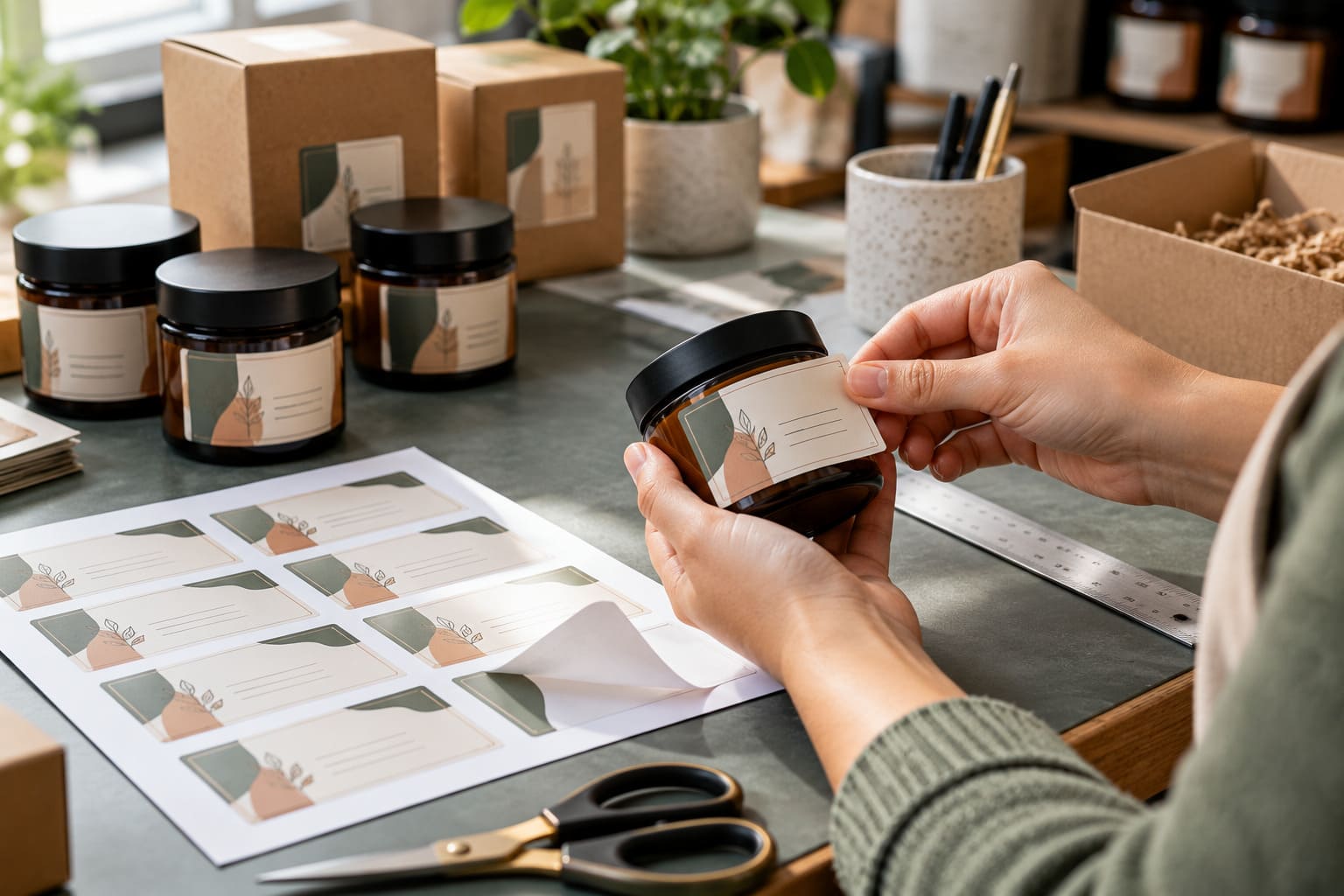
Sheet labels consist of individual adhesive labels positioned on a flat backing sheet. Several labels can be arranged on one sheet according to a particular layout. A common US format is 8.5 × 11 inches, while A4 sheets measuring 210 × 297 mm are also widely used in markets where A4 is the standard office paper format. Sheet labels are often convenient for businesses that already have an inkjet or laser printer and only need relatively small quantities.
Typical applications include:
- Product labels
- Address labels
- Return address labels
- Shipping labels
- Promotional stickers
- Transfer labels
- Organization labels
- Sample packaging
- Short-run branding projects
Businesses can also purchase blank label stickers for printing when they want to produce labels internally instead of ordering pre-printed stock. For small businesses, this can provide flexibility because artwork can be changed whenever a new batch is required.
Roll Labels vs. Sheet Labels: Key Differences
The basic difference is simple: roll labels use a continuous wound format, while sheet labels use flat backing pages. However, that difference affects the entire production workflow.
| Factor |
Roll Labels |
Sheet Labels |
| Format |
Continuous wound roll |
Flat sheet |
| Typical use |
Repeated production |
Short or small runs |
| Application |
Manual or automated |
Mostly manual |
| Printer |
Dedicated roll equipment |
Inkjet or laser printer |
| Production volume |
Medium to high |
Small to medium |
| Storage |
Compact rolls |
Flat sheets |
| Automation |
Well suited |
Limited |
| Multiple designs |
Separate rolls may be required |
Easy to combine on sheets |
| Application speed |
Can be very fast |
Usually slower manually |
Neither format is automatically the better choice. A business producing a few hundred labels for a new product may prefer sheets, while a company applying thousands of identical labels every day may find rolls more suitable. The correct choice depends on the complete workflow.
When Should You Choose Roll Labels?
Roll labels become increasingly useful when labeling becomes a repeated production task. A company filling hundreds of plastic or glass bottles, jars, boxes, or containers may benefit from having labels supplied continuously rather than handling individual sheets. Roll labels can be useful when:
- Label quantities are regularly increasing
- Labels are applied repeatedly
- A label dispenser is being used
- Automated application is planned
- Consistent positioning is important
- The same label design is required frequently
- Production needs to move quickly
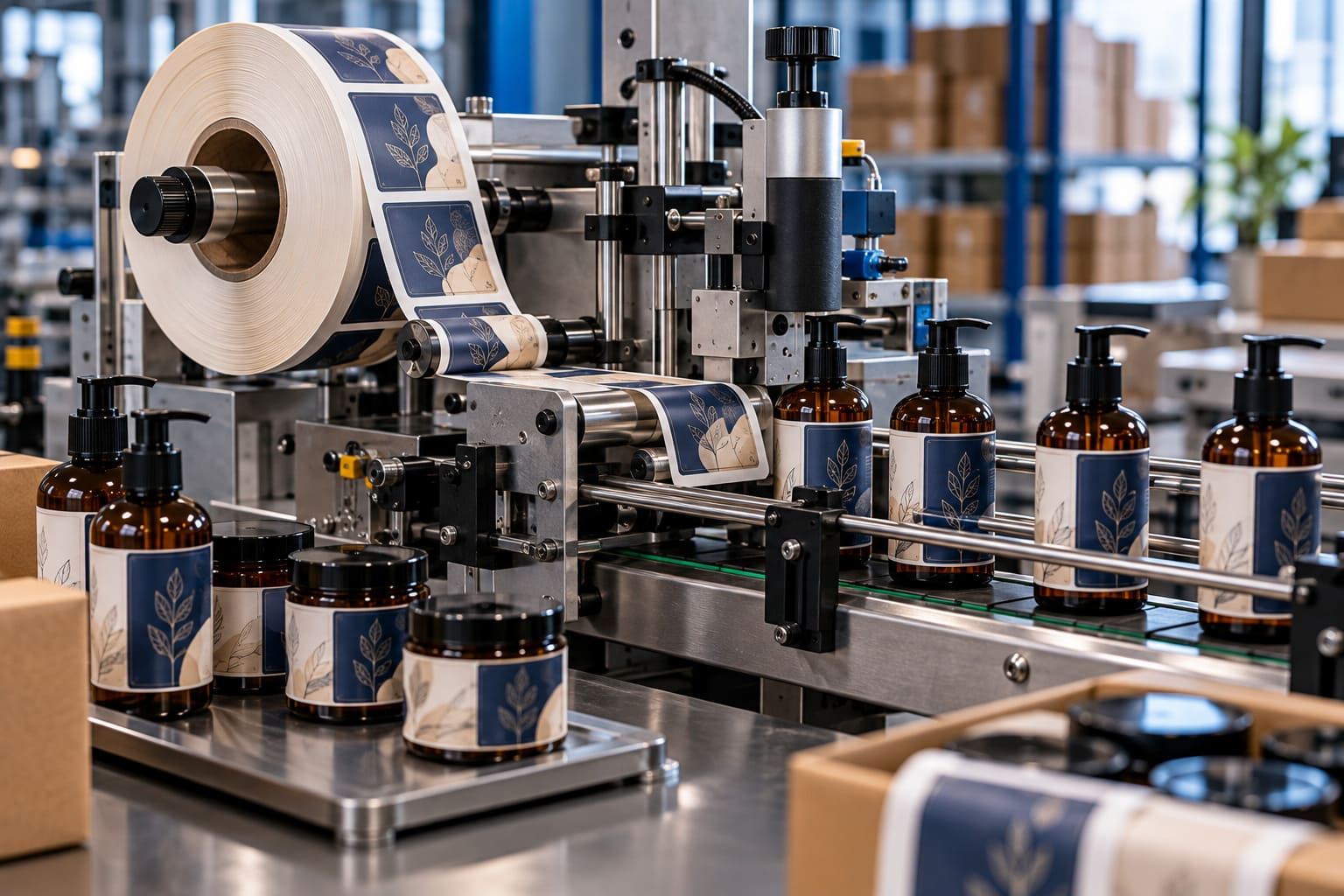
The roll format can also make physical handling easier because labels are presented one after another. For businesses using automatic or semi-automatic equipment, specifications such as core diameter, roll width, label spacing, winding direction, and maximum roll diameter may need to match the machine. This is why the labeling equipment should be considered before ordering custom rolls.
When Are Sheet Labels More Practical?
Sheet labels can be a practical solution when quantities are limited or when a business wants to print different designs without investing in specialized equipment. For example, a small skincare company may have several products but need only a few dozen labels for each variation. Printing each design on separate sheets can be simpler than establishing a roll-based production system. Sheet formats are useful for:
- Small businesses
- Product testing
- Handmade products
- Seasonal designs
- Limited releases
- Short promotional campaigns
- Sample packaging
- Office labeling
They can also be useful when artwork changes frequently. A business can print a small quantity, test the design, make adjustments, and then produce a larger quantity after the packaging has been approved. This flexibility is one of the main reasons sheet printing remains relevant even as businesses grow.
Roll Labels vs. Sheet Labels Cost
The roll labels vs. sheet labels cost comparison depends on several variables rather than one fixed price.
Important factors include:
- Order quantity
- Label dimensions
- Material
- Adhesive
- Printing process
- Number of colors
- Finishing
- Setup requirements
- Equipment
- Labor
- Application method
A small order may make sheet labels more economical because the business can use an existing office printer. At larger quantities, roll production may become more efficient because labels can be printed, dispensed, and applied continuously. However, the lowest price per label does not always mean the lowest overall cost. For example, a company may save money on sheet labels but spend considerably more employee time manually removing and applying thousands of individual stickers.
For that reason, businesses should consider total labeling cost, including printing, labor, equipment, waste, and application time.
How to Print on a Roll of Labels
People often search for how to print on a roll of labels, but the process depends on the type of roll stock and printer being used. Ordinary sheet-fed desktop printers generally cannot accept a conventional roll of labels. A suitable printer for roll labels may use technologies such as:
- Direct thermal printing
- Thermal-transfer printing
- Inkjet printing
- Dedicated digital roll printing
An inkjet roll label printer is designed to feed continuous label stock through the machine and can be suitable for full-color label production when compatible materials are used. Before purchasing roll stock, check:
- Printer compatibility
- Label width
- Label height
- Core diameter
- Maximum roll diameter
- Label gap
- Material
- Adhesive
- Winding direction
This prevents a common production problem: receiving labels that physically fit the product but cannot be loaded correctly into the intended printer.
What Is a Roll Sticker Printer?
A roll sticker printer is a printer designed to process adhesive label material supplied on rolls. The term can describe different types of equipment, so buyers should look beyond the name and compare the machine's actual specifications. A printer intended for barcode labels may have very different capabilities from a full-color inkjet system. Before purchasing a roll printer, consider:
- Print resolution
- Color capability
- Printing speed
- Maximum media width
- Supported materials
- Core compatibility
- Software support
- Expected production volume
A small business with occasional requirements may not need the same equipment as a manufacturer producing labels continuously.
Custom Printed Label Rolls
Custom printed label rolls are supplied with the required artwork already printed onto the label material. This can be useful for businesses that repeatedly use the same branding and do not want to print every label internally. A custom roll may contain:
- Logo
- Product name
- Brand colors
- Product information
- Ingredients
- Barcode
- Promotional graphics
- Decorative artwork
- Regulatory information
Businesses can also request a custom labels roll according to specific dimensions, materials, shapes, and finishing requirements, depending on the supplier. Pre-printed rolls can create consistency across a product range because every label is produced using the same approved artwork. They are particularly useful when labels form part of a wider packaging system.
For example, Custom Packaging Pro can combine branded labels with boxes, bags, custom inserts, and other product presentation elements.
For high-volume custom roll labels used on automated labeling machines, the production lead time mainly depends on artwork approval, whether a new cutting die is needed for a custom shape, and the roll specifications. Sharing your machine's core size, roll diameter and unwind direction early helps avoid delays. If you need the same design in both roll and sheet formats, the artwork can usually be set up once and then placed on separate roll and sheet templates. Our team can help through free design support, or you can request a custom quote for printed labels.
Sheet Label Printing for Small Batches
Sheet label printing remains useful because many businesses already own compatible office printers. An inkjet or laser printer can make sheet-based production accessible without purchasing a dedicated roll-printing system.
This makes sheets suitable for:
- Small quantities
- Product prototypes
- Short campaigns
- New product testing
- Multiple designs
- Handmade products
- Internal labeling
A sheet label printer does not necessarily have to be a specialized machine. The important requirement is compatibility between the printer and the selected label stock. Before printing, users should check the page size, template, printer scaling, and label placement. A single test page can reveal alignment problems before a complete batch is printed.
Sheet Labels Templates and Layouts
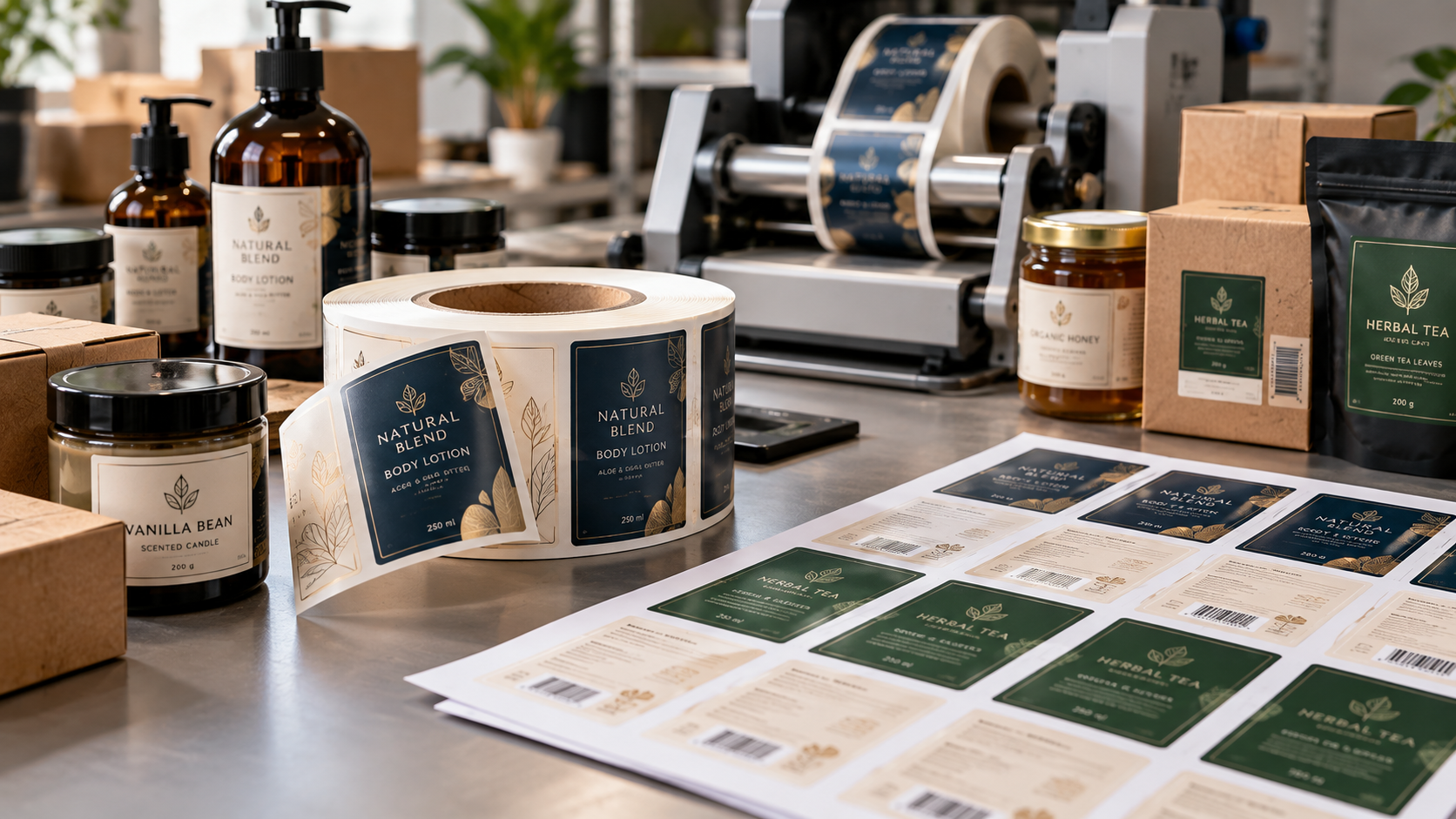
Using accurate sheet labels templates makes the printing process much easier. A template establishes where each label sits on the backing sheet and helps position the artwork correctly. The template should account for:
- Label width
- Label height
- Horizontal spacing
- Vertical spacing
- Page margins
- Corner radius
- Printable area
For example, 8 per sheet labels require a different layout from sheets containing smaller labels arranged across several rows. Likewise, full sheet labels 8.5 x 11 may look similar to ordinary Letter-size paper, but the exact label configuration can vary. Never assume that two sheets with the same overall dimensions have the same label arrangement. Use the template created specifically for the label product being printed.
How Many Labels on a Sheet?
On a standard 8.5 x 11 inch sheet, these are some of the most common layouts:
| Labels per Sheet |
Typical Label Size |
Common Use |
| 30 |
1 x 2-5/8 in |
Address labels |
| 10 |
2 x 4 in |
Shipping and product labels |
| 6 |
3-1/3 x 4 in |
Larger product labels |
| 2 |
8.5 x 5.5 in (half sheet) |
Shipping labels |
| 1 |
8.5 x 11 in (full sheet) |
Custom cut or large labels |
If your names or addresses are stored in a spreadsheet, you can use Google Sheets to print labels by keeping each field in its own column and using a label-merge add-on in Google Docs to place each row onto the matching template.
Label Materials and Finishes
The label format is only one part of the final product. Material selection can influence durability, appearance, adhesion, and print quality.
Common choices include:
- Paper
- White film
- Clear film
- Synthetic materials
- Waterproof stocks
- Specialty adhesive materials
Paper can work well for many indoor applications, while film-based materials may be better suited to products exposed to moisture or frequent handling. Finishes can also influence the appearance of the printed design. Matte surfaces create a softer visual effect, while gloss can provide a brighter and more reflective appearance.
For premium packaging, businesses may also consider decorative effects such as metallic accents or specialty finishes.
What Are the Different Types of Labels?
Labels are often grouped by their purpose. The three main types are brand labels, which show the brand name or logo; descriptive labels, which explain how to use the product; and grade labels, which show quality or grade. Many guides add a fourth type, informative labels, which carry ingredients, warnings, contact details and regulatory information.
Custom Label Design for Products
A label should work as part of the complete packaging rather than appearing as an unrelated sticker. Depending on the product, a custom label can include:
- Brand name
- Logo
- Product name
- Product description
- Ingredients
- Instructions
- Barcode
- Contact details
- Regulatory information
- Decorative artwork
The dimensions should be established before the artwork is finalized. A design that appears balanced on a computer monitor may become difficult to read once reduced to the actual label size.
Container shape also matters.
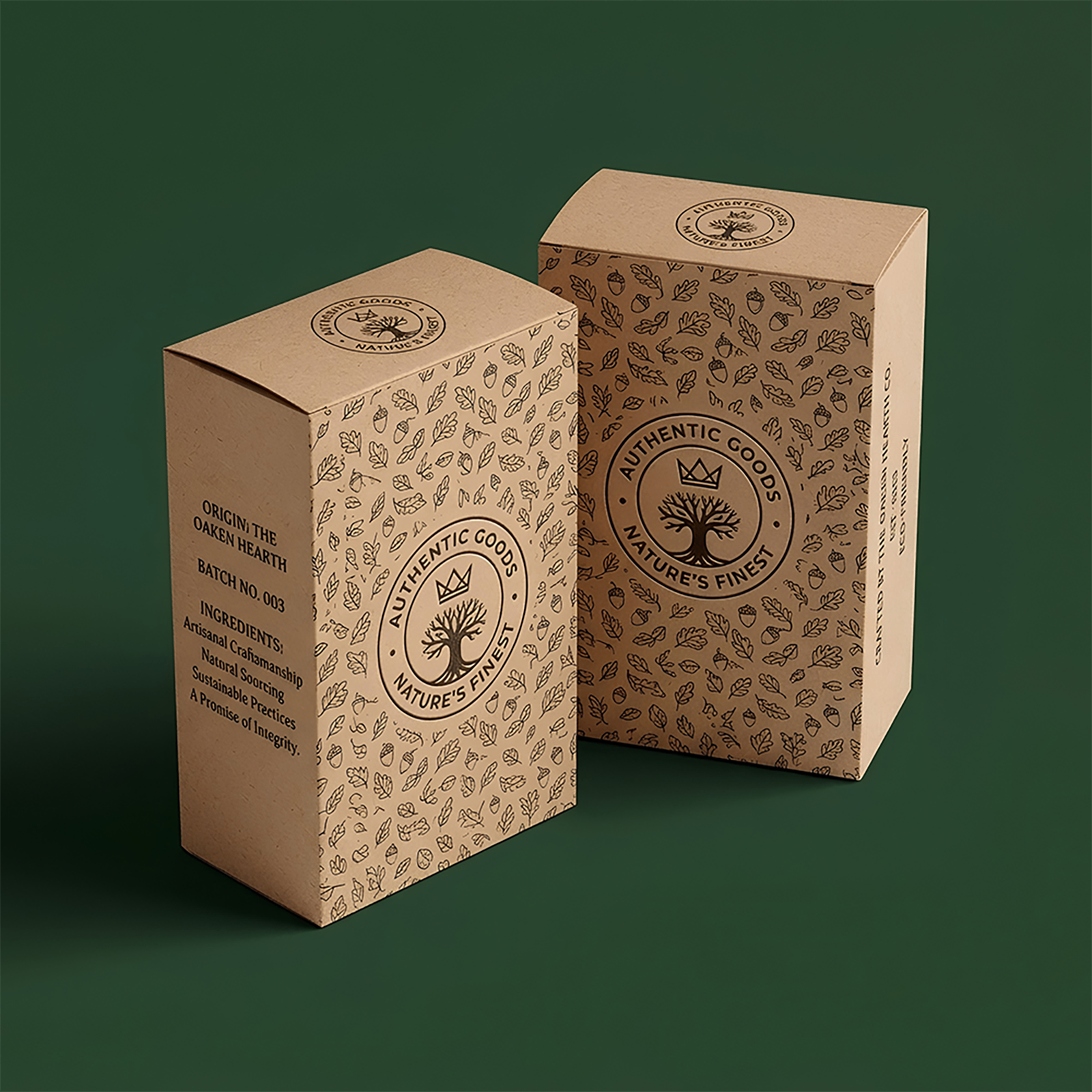
A label intended for a flat box can have different design requirements from one applied around a cylindrical bottle. For brands using custom packaging boxes, maintaining consistent typography, colors, imagery, and finishing across the box and label can create a more unified presentation.
Pre-Printed Labels or Blank Labels?
Businesses generally have two approaches to label production: ordering finished labels or printing blank stock internally.
Pre Printed Labels on a Roll
Pre printed labels on a roll arrive with the required branding already produced. They can be useful for established products with consistent packaging.
Advantages can include:
- Consistent branding
- Reduced in-house printing
- Faster application
- Professional reproduction
- Repeatable production
Blank Labels for On-Demand Printing
Blank stock provides more flexibility.
It can be useful when:
- Product information changes regularly
- Multiple versions are required
- Variable data is involved
- Small quantities are needed
- Labels are generated internally
A business might print changing batch numbers, barcodes, or product variations as required.
Roll Labels vs. Sheet Labels for Different Applications
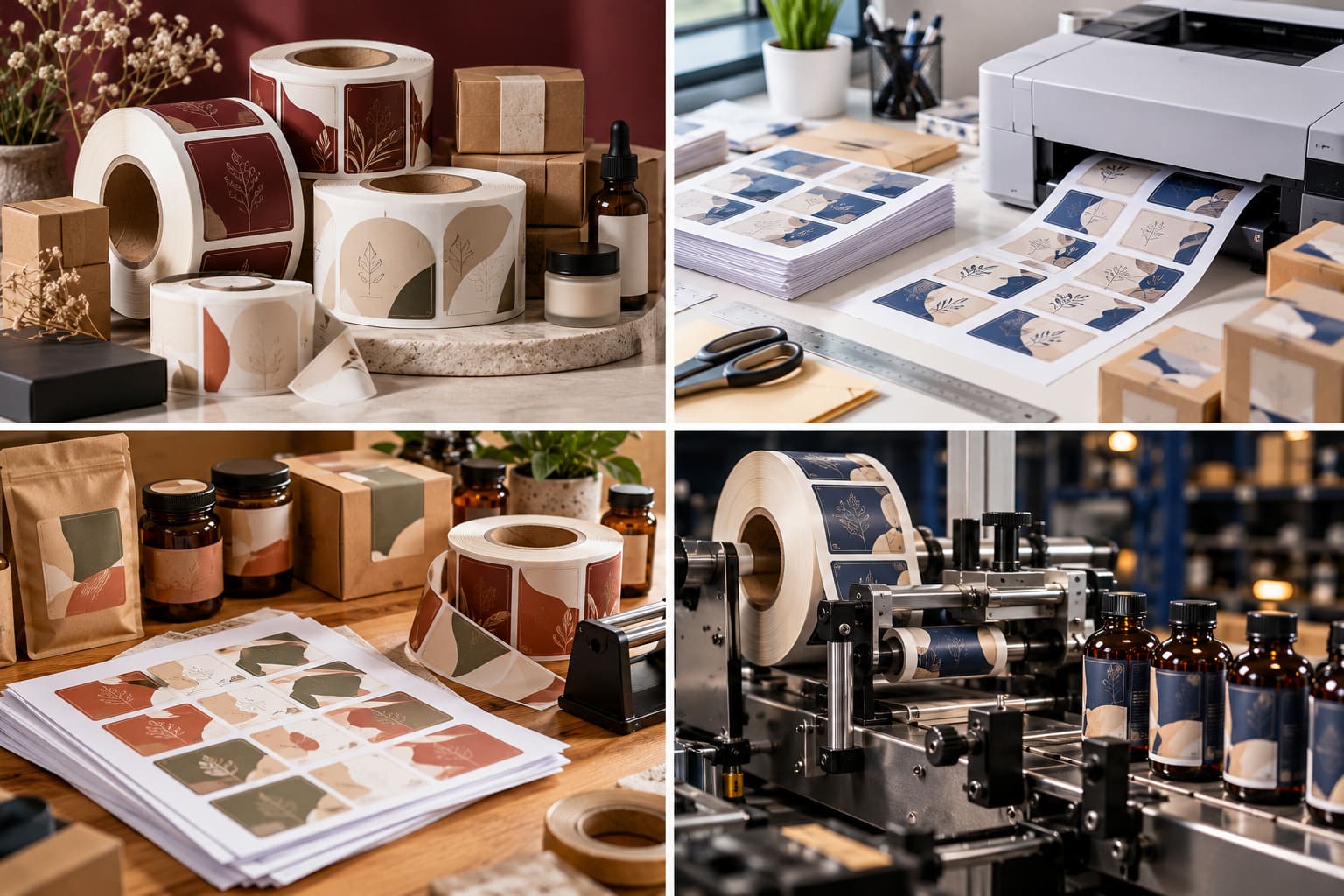
The right format often becomes obvious when the intended application is considered.
- Product Packaging
For larger production quantities, rolls can work well with repeated application.
For product testing or smaller launches, sheets can provide greater flexibility.
- Shipping
Both formats can work for shipping, depending on the printer and label specifications.
- Promotional Stickers
Sheets can be useful when several designs need to be printed together or distributed individually.
- Variable Information
Roll systems can be particularly useful for labels containing changing information such as barcodes, serial numbers, or batch details.
- Retail Products
Retail labeling depends on production volume, material, application method, and desired presentation.
Businesses should also consider how labels will interact with boxes, bags, pouches, and other packaging elements.
For garments and apparel, roll labels are the usual choice for care labels, size labels and barcode tags, because the same label is applied to every item in a production run. Sheet labels are more common for small clothing brands adding a few branded stickers to bags or tissue paper. Brands can also pair garment labels with printed hang tags for a complete retail look.
Roll Labels for Growing Packaging Operations
As product output increases, labeling can become a significant part of production. A workflow that works perfectly for 50 products may become inefficient when a team needs to label several thousand units. At that stage, businesses may consider:
- Label dispensers
- Semi-automatic applicators
- Automatic labeling machines
- Dedicated roll printers
- Pre-printed label rolls
- Variable-data printing
Roll stock can integrate naturally into these workflows because labels can be fed continuously through compatible equipment. For businesses expanding their product range, custom packaging can also be considered as part of a wider packaging system where labels, boxes, bags, and printed components need to maintain a consistent visual identity.
Sheet Labels for Small Businesses and Testing
Sheet labels remain valuable even for businesses with established products. They are particularly useful when flexibility is more important than automation. A business may use sheets for:
- New product samples
- Limited-edition packaging
- Seasonal products
- Market testing
- Handmade products
- Local events
- Small promotional campaigns
This allows a business to test a design before committing to a larger quantity. If customers respond well and production increases, the company can later evaluate whether a roll-based system makes more sense.
Roll Labels vs Stickers
Labels and stickers are made the same way, but they are used differently. Labels are applied to products and packaging to carry branding and information, so they are usually supplied on rolls or sheets for fast, consistent application. Stickers are often thicker, cut to decorative shapes and meant to be handed out or used on their own. For giveaways and event packs, sticker sheets work well, while sticker rolls are better when the same sticker is applied to every order.
Common Label Printing Mistakes
Even a good label design can produce poor results if the printing setup is incorrect.
Using the Wrong Template
Incorrect sheet labels templates can shift artwork away from the intended label area.
Always confirm the exact product dimensions before printing.
Printer Scaling
Options such as "Fit to Page" can change the dimensions of the artwork.
When accurate sizing is important, confirm that the document is printing at its intended scale.
Ignoring Bleed and Safe Areas
Important text and logos should not sit too close to the edge.
Artwork that extends to the edge may also require bleed, depending on the printing method.
Choosing Incompatible Material
A printer designed for ordinary paper may not support every adhesive label material.
Likewise, roll printers can have specific requirements for media width, core diameter, and material construction.
Skipping a Test Print
Always test before committing to a large run.
Check:
- Alignment
- Colors
- Text size
- Barcode readability
- Label positioning
- Printer calibration
A single test can prevent a significant amount of wasted label stock.
Roll Labels vs. Sheet Labels: Which Should You Choose?
The decision should be based on the entire labeling workflow.
Roll Labels May Be Suitable When:
- Production volume is increasing
- Labels are applied repeatedly
- Automation is planned
- Continuous feeding is useful
- The same label is used frequently
- Dedicated roll equipment is available
Sheet Labels May Be Suitable When:
- Quantities are relatively small
- Existing office printers will be used
- Multiple designs are needed
- Labels are produced occasionally
- Manual application is acceptable
- Testing and prototyping are important
A business can also use both. For example, sheet labels may be useful during product development, while custom printed label rolls can become more practical once the product enters regular production.
Final Thoughts: Choosing the Right Label Format
The decision between Roll labels vs. Sheet labels should be based on the complete labeling process rather than the format alone.
Roll labels can support continuous production, dedicated printing systems, and automated application. Sheet labels provide flexibility for smaller quantities, office printing, product testing, and projects requiring frequent design changes.
Cost should also be evaluated alongside labor, equipment, printing requirements, application time, and production volume.
For businesses developing branded products, labels should complement the rest of the packaging. Consistent colors, typography, artwork, and finishing can help create a cohesive presentation across boxes, bags, containers, and other branded materials.
At Custom Packaging Pro, packaging is treated as part of the wider brand experience. Whether a business needs labels for a new product, retail packaging, promotional materials, or a broader packaging system, selecting the appropriate format and production method can support a more consistent final presentation.
The most suitable solution is ultimately the one that matches the product, quantity, equipment, application process, and long-term production requirements.
Frequently Asked Questions About Roll and Sheet Labels
- What are roll labels?
Roll labels are adhesive labels arranged continuously on a wound roll. They can be applied manually or used with compatible dispensing and labeling equipment.
- What are sheet labels?
Sheet labels are individual adhesive labels positioned on a flat backing sheet. They are commonly printed using compatible inkjet or laser printers.
- How many labels are on a roll?
There is no standard quantity for every roll. The number depends on label size, roll diameter, core size, spacing, and material thickness.
- How many labels come on a sheet?
The quantity depends on the sheet dimensions and individual label size. A sheet may contain several large labels or many smaller ones.
- What are the key differences between roll labels and sheet labels?
Roll labels use a continuous wound format and are well suited to repeated production and automated application. Sheet labels use flat pages and are often convenient for smaller quantities and standard office printing.
- How do I make a sheet of labels?
Use the exact template for your label product, position the artwork correctly, confirm the page size and printer settings, and run a test page before printing the full quantity.
- What is the standard sheet label size?
There is no single universal sheet label size. Common backing-sheet formats include US Letter at 8.5 × 11 inches and A4 at 210 × 297 mm.
- Which Avery labels are 10 per sheet?
Avery has several 10-per-sheet configurations, so the exact dimensions and product number should be confirmed against the specific Avery template or product.
- Can I print custom labels on a roll?
Yes. Custom printed label rolls can include logos, product information, barcodes, graphics, and other artwork, depending on the supplier and production specifications.
- Are roll labels more expensive than sheet labels?
Not necessarily. Pricing depends on quantity, material, printing process, finishing, setup, and application workflow. Larger production volumes can change the cost relationship between the formats.
- Can I print roll labels with an inkjet printer?
Only when the printer is designed to handle compatible roll-fed label stock. A standard sheet-fed inkjet printer generally cannot accept a conventional roll.
- What are full sheet labels?
Full sheet labels are adhesive sheets designed to cover most or all of the printable sheet rather than being divided into many small individual labels.
- What are half sheet labels?
Half sheet labels are larger label formats arranged so that two primary label areas occupy a standard sheet. Exact dimensions vary by product.
- What are A4 sheet labels?
A4 sheet labels are supplied on backing sheets measuring 210 × 297 mm. They are commonly used in regions where A4 is the standard office paper format.
- What are custom sheet labels?
Custom sheet labels are produced according to specific label dimensions, artwork, material, or layout requirements instead of relying solely on standard templates.
- Are sheet labels better for small businesses?
They can be practical for small businesses that print limited quantities, use standard office printers, need multiple designs, or frequently change their artwork. The best option still depends on the individual workflow.
- What is the difference between roll labels and stickers?
Labels are mainly used on products and packaging for branding and information, while stickers are often thicker, decorative and used on their own.
- What are the three types of labels?
The three main types are brand labels, descriptive labels and grade labels. Informative labels are often added as a fourth type.
- Can the same label design be printed on rolls and sheets?
Yes. The artwork is usually created once and then placed on a roll template and a sheet template that match each format.

 Custom Boxes
 Mailer Boxes
 Shipping Boxes
 Display Boxes
 Product Boxes
 Retail Packaging
 Luxury Packaging
 Sustainable Packaging
 Mylar Bags
 Labels & Stickers
 Inserts & Dividers
 Acrylic Signs
 Mylar and Zipper Bags
 Cosmetic Boxes
 Custom Candle Packaging Boxes
 Food and Beverage
 Display Packaging
 Pharma Packaging
 Custom Blister Packaging
 Stand Up Displays
 Kraft Boxes
 Cereal Packaging Boxes
 Bakery Packaging Boxes
 Eco-Friendly Boxes
 Electronics Packaging Boxes
 Custom Vape Boxes & Packaging
 CBD Packaging Boxes
 Rigid & Luxury Packaging Boxes
 Gift Boxes
 Custom Soap Boxes & Packaging
 Metalized Boxes
 Retail Boxes
 Subscription Boxes
 Invitation Boxes
 Corrugated Shipping Boxes
 Custom Apparel Boxes